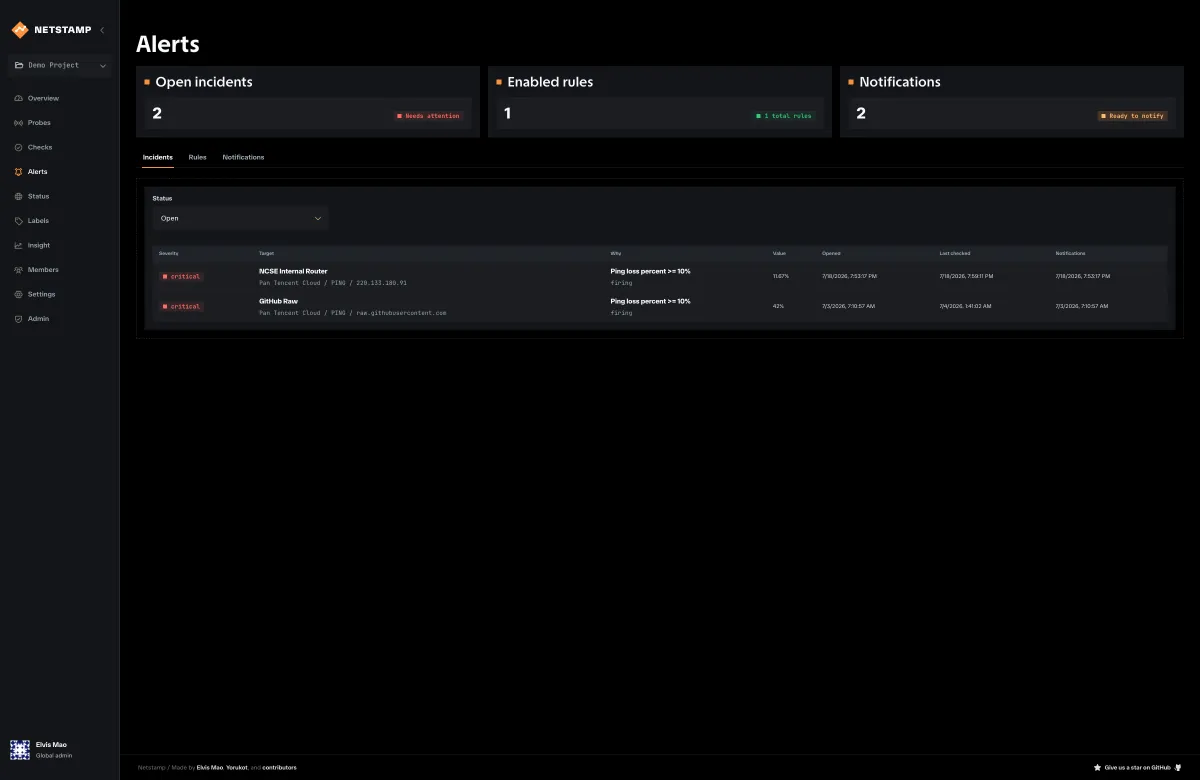
Alerting turns check results into incidents and outbound notifications. Configure and test a notification first, then attach it to a rule.
Notification types
| Type | Required configuration |
|---|---|
| Webhook | HTTPS endpoint URL |
| Slack | Slack incoming-webhook URL |
| Discord | Discord webhook URL |
| Telegram | Bot token and chat ID |
| One to 50 recipients and working instance SMTP settings |
Create notifications under Alerts → Notifications. Keep them disabled until configuration is complete, save, then use Test. A successful test proves delivery configuration, not that a rule is correctly scoped.
Secrets such as bot tokens and webhook URLs are not returned in full after storage. Replace the secret when editing if it needs to change.
Alert condition metrics
Rules currently use metric-threshold conditions.
| Check | Metrics |
|---|---|
| Ping | loss percent, average RTT, max RTT, success rate |
| TCP | failure percent, average connect time, max connect time, success rate |
| HTTP | failure percent, average/max total time, average/max TTFB, success rate, certificate days remaining |
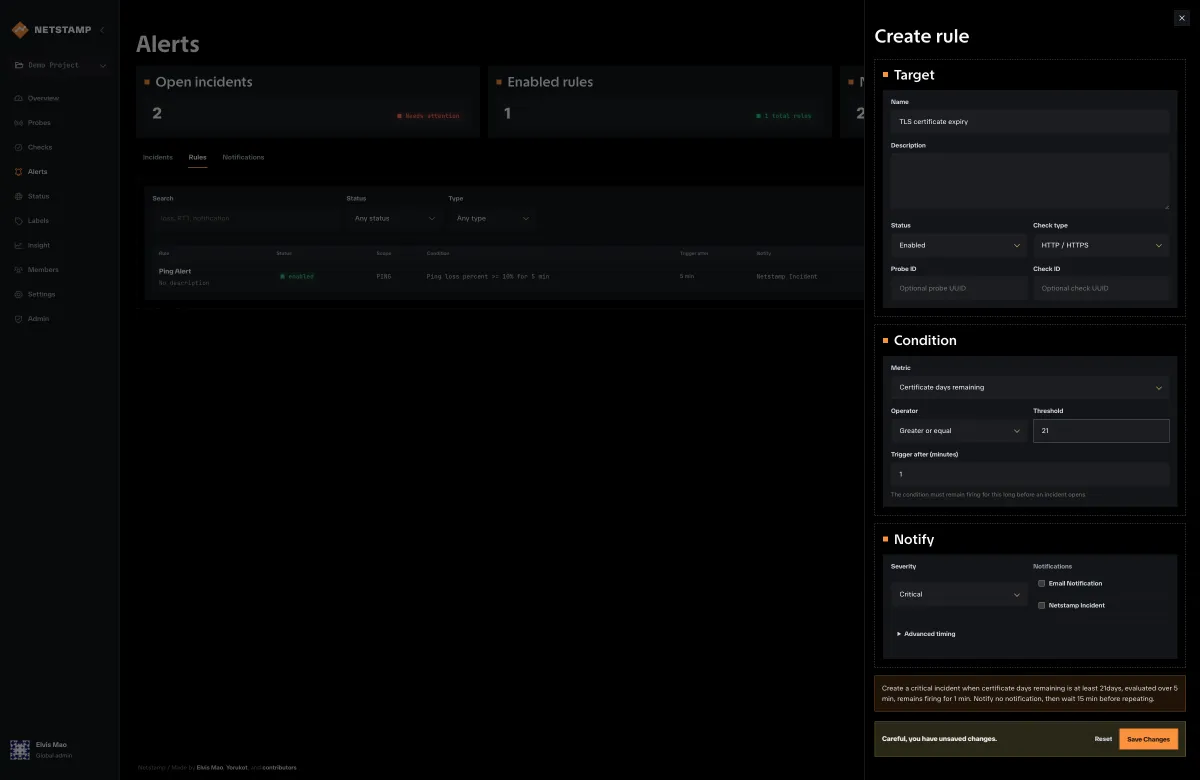
Operators are >, >=, <, <=, and =. A rule also chooses severity, evaluation window, minimum sample count, trigger duration, and notification destinations.
Trigger duration
Trigger duration requires the condition to remain firing before an incident opens or notifications are sent. Use it to suppress short, expected spikes while preserving the evidence in result history.
The evaluator distinguishes:
- Firing — enough samples exist and the threshold is crossed.
- Clear — enough samples exist and the threshold is not crossed.
- Insufficient samples — data exists but does not satisfy the rule’s sample requirement.
- No data — the evaluation window has no usable measurements.
No-data and insufficient-sample states are not equivalent to a successful check. Investigate missing assignments or offline probes when they persist.
Incident lifecycle
Incident records may have open, acknowledged, or resolved status. The current product UI displays and filters those states, but it does not expose a manual acknowledgement action. The evaluator opens an incident when a rule remains firing and resolves it after the condition clears.
Use the incident detail view with Insight:
- note the opening and last-triggered timestamps;
- open the same check and interval in Insight;
- compare probe scopes;
- inspect whether the rule lacks samples or is genuinely firing;
- coordinate ownership in your normal incident-response system;
- confirm that the evaluator records recovery after the condition clears.
Delivery troubleshooting
If a test fails, check the destination URL or credentials, controller egress, TLS trust, SMTP settings, and controller logs. If tests work but incidents do not notify, verify that the notification and rule are enabled, attached to each other, and that the notification worker is enabled.