
'%3e%3cpath%20d='m19.6%2066.5%2019.7-11%20.3-1-.3-.5h-1l-3.3-.2-11.2-.3L14%2053l-9.5-.5-2.4-.5L0%2049l.2-1.5%202-1.3%202.9.2%206.3.5%209.5.6%206.9.4L38%2049.1h1.6l.2-.7-.5-.4-.4-.4L29%2041l-10.6-7-5.6-4.1-3-2-1.5-2-.6-4.2%202.7-3%203.7.3.9.2%203.7%202.9%208%206.1L37%2036l1.5%201.2.6-.4.1-.3-.7-1.1L33%2025l-6-10.4-2.7-4.3-.7-2.6c-.3-1-.4-2-.4-3l3-4.2L28%200l4.2.6L33.8%202l2.6%206%204.1%209.3L47%2029.9l2%203.8%201%203.4.3%201h.7v-.5l.5-7.2%201-8.7%201-11.2.3-3.2%201.6-3.8%203-2L61%202.6l2%202.9-.3%201.8-1.1%207.7L59%2027.1l-1.5%208.2h.9l1-1.1%204.1-5.4%206.9-8.6%203-3.5L77%2013l2.3-1.8h4.3l3.1%204.7-1.4%204.9-4.4%205.6-3.7%204.7-5.3%207.1-3.2%205.7.3.4h.7l12-2.6%206.4-1.1%207.6-1.3%203.5%201.6.4%201.6-1.4%203.4-8.2%202-9.6%202-14.3%203.3-.2.1.2.3%206.4.6%202.8.2h6.8l12.6%201%203.3%202%201.9%202.7-.3%202-5.1%202.6-6.8-1.6-16-3.8-5.4-1.3h-.8v.4l4.6%204.5%208.3%207.5L89%2080.1l.5%202.4-1.3%202-1.4-.2-9.2-7-3.6-3-8-6.8h-.5v.7l1.8%202.7%209.8%2014.7.5%204.5-.7%201.4-2.6%201-2.7-.6-5.8-8-6-9-4.7-8.2-.5.4-2.9%2030.2-1.3%201.5-3%201.2-2.5-2-1.4-3%201.4-6.2%201.6-8%201.3-6.4%201.2-7.9.7-2.6v-.2H49L43%2072l-9%2012.3-7.2%207.6-1.7.7-3-1.5.3-2.8L24%2086l10-12.8%206-7.9%204-4.6-.1-.5h-.3L17.2%2077.4l-4.7.6-2-2%20.2-3%201-1%208-5.5Z'/%3e%3c/svg%3e)
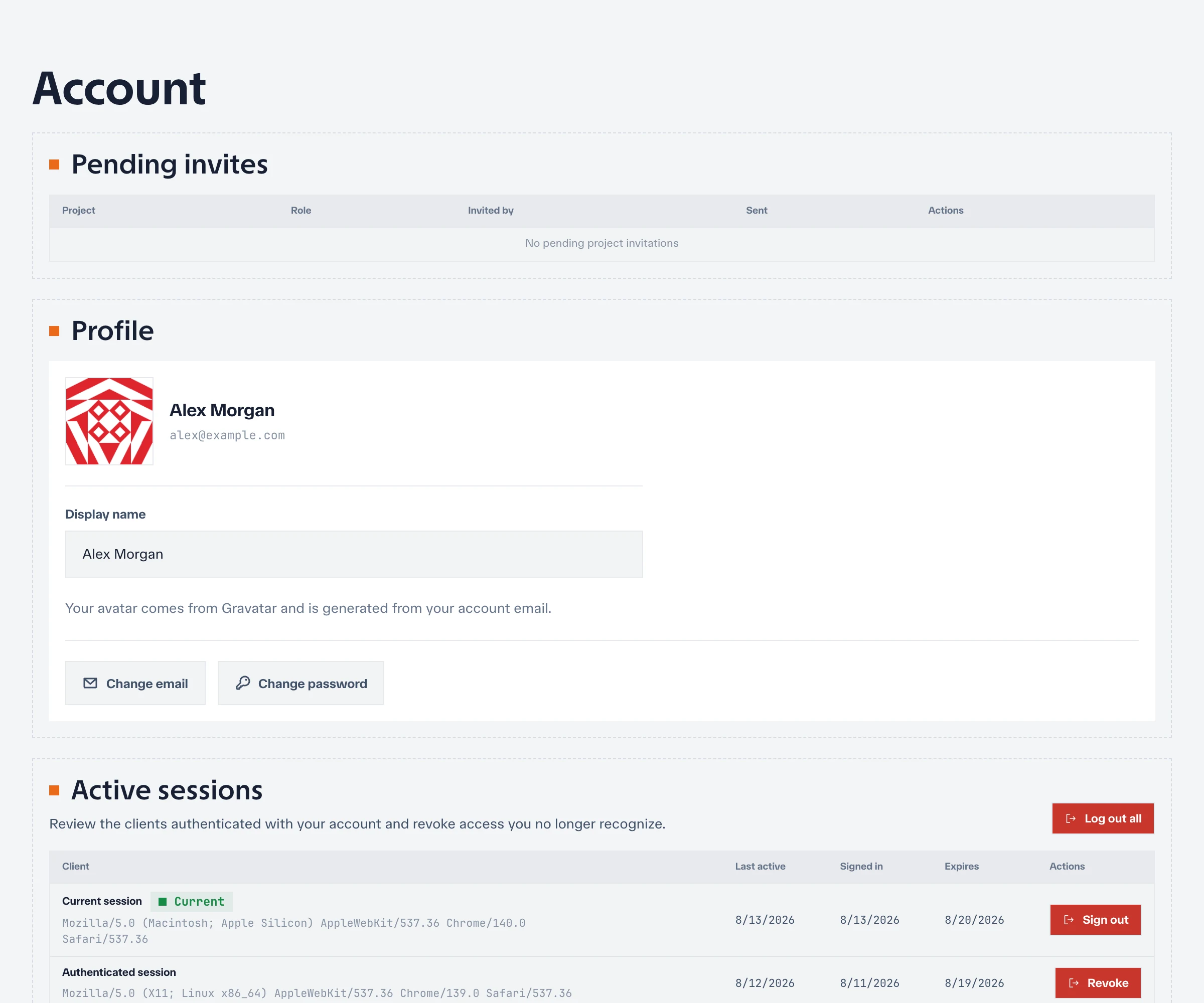
Account settings control your identity and credentials across the Netstamp instance. They are separate from project membership and system-administrator permissions.
Profile and email
Update your display name and profile information from account settings. Your email address identifies the account for sign-in, invitations, and verification workflows.
If email verification is required, follow the verification link delivered by the instance. A changed or unverified address may affect password recovery and project invitations.
Password
Accounts that support password authentication can change their password from the security settings. Use a unique password and store it in a password manager.
An account created exclusively through an external identity provider may not have a local password until the instance allows one to be set.
Linked identities
Netstamp can link supported external identities, including generic OIDC, Google, and GitHub, to an existing account. Link an identity while signed in to the intended Netstamp account so a provider login returns to the same account.
Before unlinking an identity, confirm that another sign-in method works. Netstamp protects against removing the last usable authentication method.
Sessions
The sessions view lists active sign-ins and recent authentication context. Revoke sessions you no longer recognize or use.
By default, a session expires after 24 hours of inactivity and never lasts longer than 7 days. Administrators can change both limits for the whole instance.
After a suspected credential leak, change or rotate the affected credential and revoke other sessions.
Personal API tokens
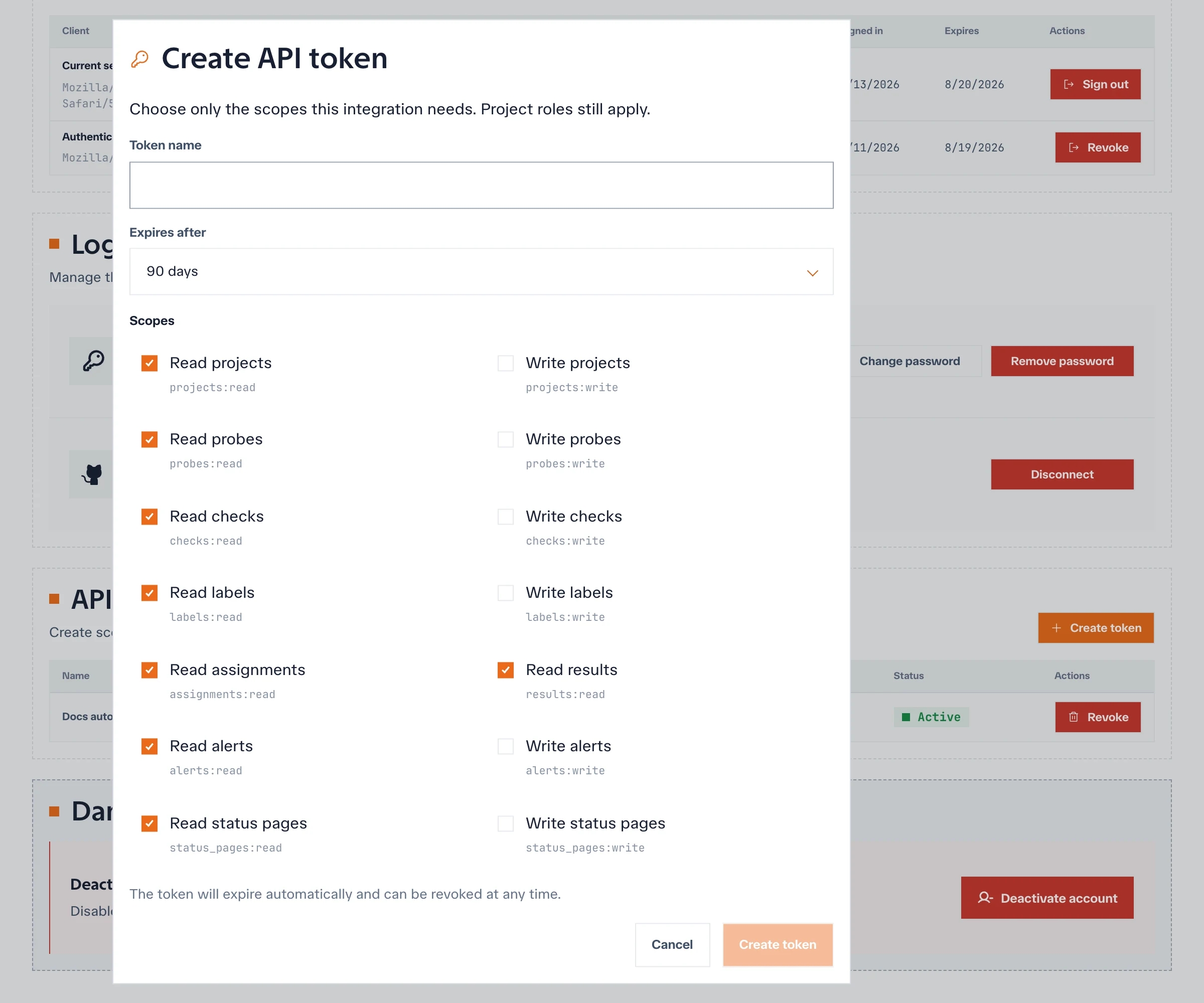
Personal API tokens let scripts call the Netstamp API as your account. When creating a token:
- Give it a purpose-specific name.
- Select only the scopes the integration requires; your current project roles still apply.
- Choose the shortest practical expiration.
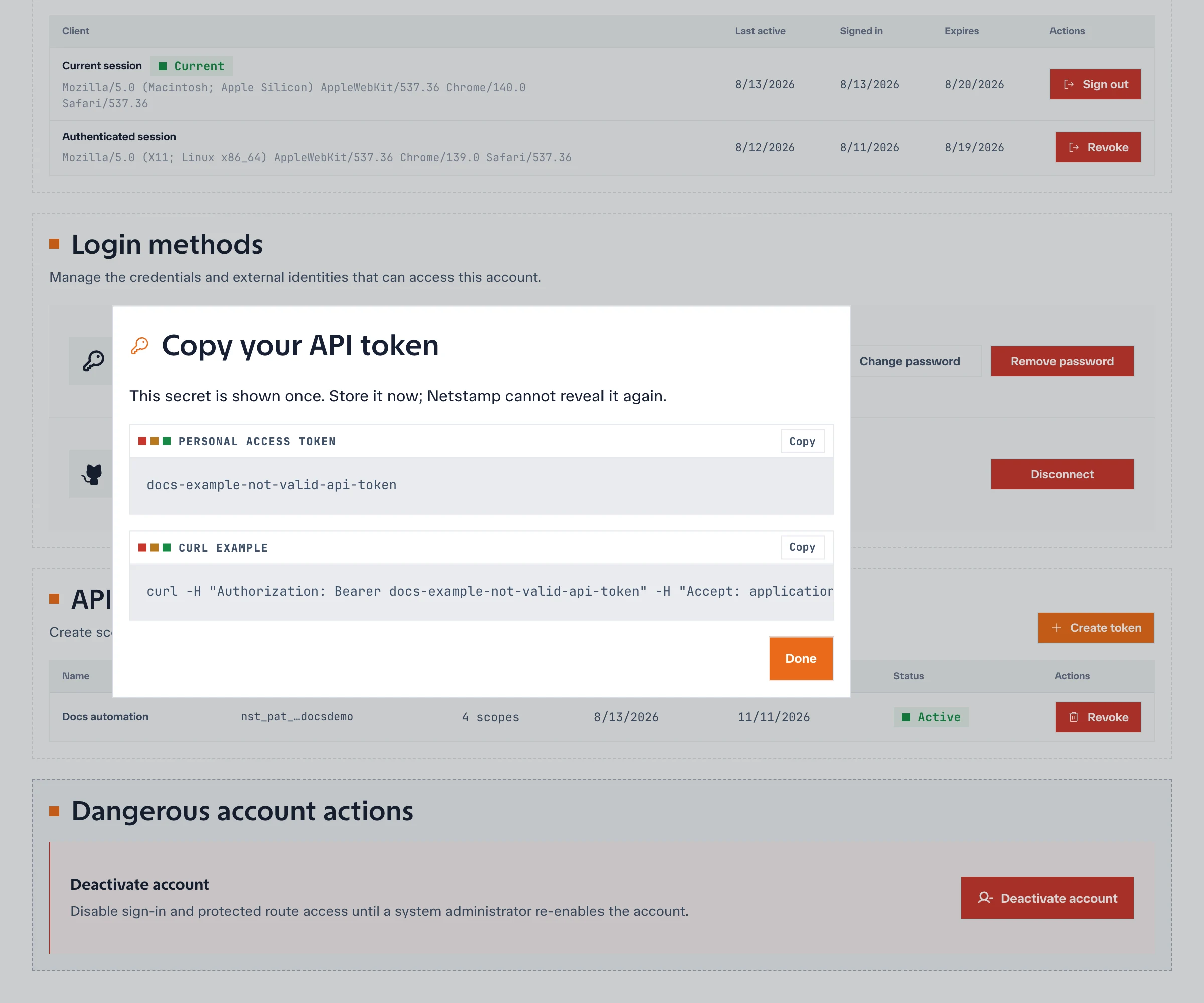
- Copy the token immediately and store it in a secret manager.
The full token is shown only at creation time. Revoke unused or exposed tokens; do not embed them in source code or images.
Deactivate the account
Before deactivation, transfer project ownership and automation credentials that depend on the account. Netstamp will not allow a change that leaves a project without an owner or the instance without a required administrator.
For instance-wide user recovery or access policy, see System administration.