
'%3e%3cpath%20d='m19.6%2066.5%2019.7-11%20.3-1-.3-.5h-1l-3.3-.2-11.2-.3L14%2053l-9.5-.5-2.4-.5L0%2049l.2-1.5%202-1.3%202.9.2%206.3.5%209.5.6%206.9.4L38%2049.1h1.6l.2-.7-.5-.4-.4-.4L29%2041l-10.6-7-5.6-4.1-3-2-1.5-2-.6-4.2%202.7-3%203.7.3.9.2%203.7%202.9%208%206.1L37%2036l1.5%201.2.6-.4.1-.3-.7-1.1L33%2025l-6-10.4-2.7-4.3-.7-2.6c-.3-1-.4-2-.4-3l3-4.2L28%200l4.2.6L33.8%202l2.6%206%204.1%209.3L47%2029.9l2%203.8%201%203.4.3%201h.7v-.5l.5-7.2%201-8.7%201-11.2.3-3.2%201.6-3.8%203-2L61%202.6l2%202.9-.3%201.8-1.1%207.7L59%2027.1l-1.5%208.2h.9l1-1.1%204.1-5.4%206.9-8.6%203-3.5L77%2013l2.3-1.8h4.3l3.1%204.7-1.4%204.9-4.4%205.6-3.7%204.7-5.3%207.1-3.2%205.7.3.4h.7l12-2.6%206.4-1.1%207.6-1.3%203.5%201.6.4%201.6-1.4%203.4-8.2%202-9.6%202-14.3%203.3-.2.1.2.3%206.4.6%202.8.2h6.8l12.6%201%203.3%202%201.9%202.7-.3%202-5.1%202.6-6.8-1.6-16-3.8-5.4-1.3h-.8v.4l4.6%204.5%208.3%207.5L89%2080.1l.5%202.4-1.3%202-1.4-.2-9.2-7-3.6-3-8-6.8h-.5v.7l1.8%202.7%209.8%2014.7.5%204.5-.7%201.4-2.6%201-2.7-.6-5.8-8-6-9-4.7-8.2-.5.4-2.9%2030.2-1.3%201.5-3%201.2-2.5-2-1.4-3%201.4-6.2%201.6-8%201.3-6.4%201.2-7.9.7-2.6v-.2H49L43%2072l-9%2012.3-7.2%207.6-1.7.7-3-1.5.3-2.8L24%2086l10-12.8%206-7.9%204-4.6-.1-.5h-.3L17.2%2077.4l-4.7.6-2-2%20.2-3%201-1%208-5.5Z'/%3e%3c/svg%3e)
Labels let you describe probes. Selectors use those labels to decide where each check runs.
Label probes
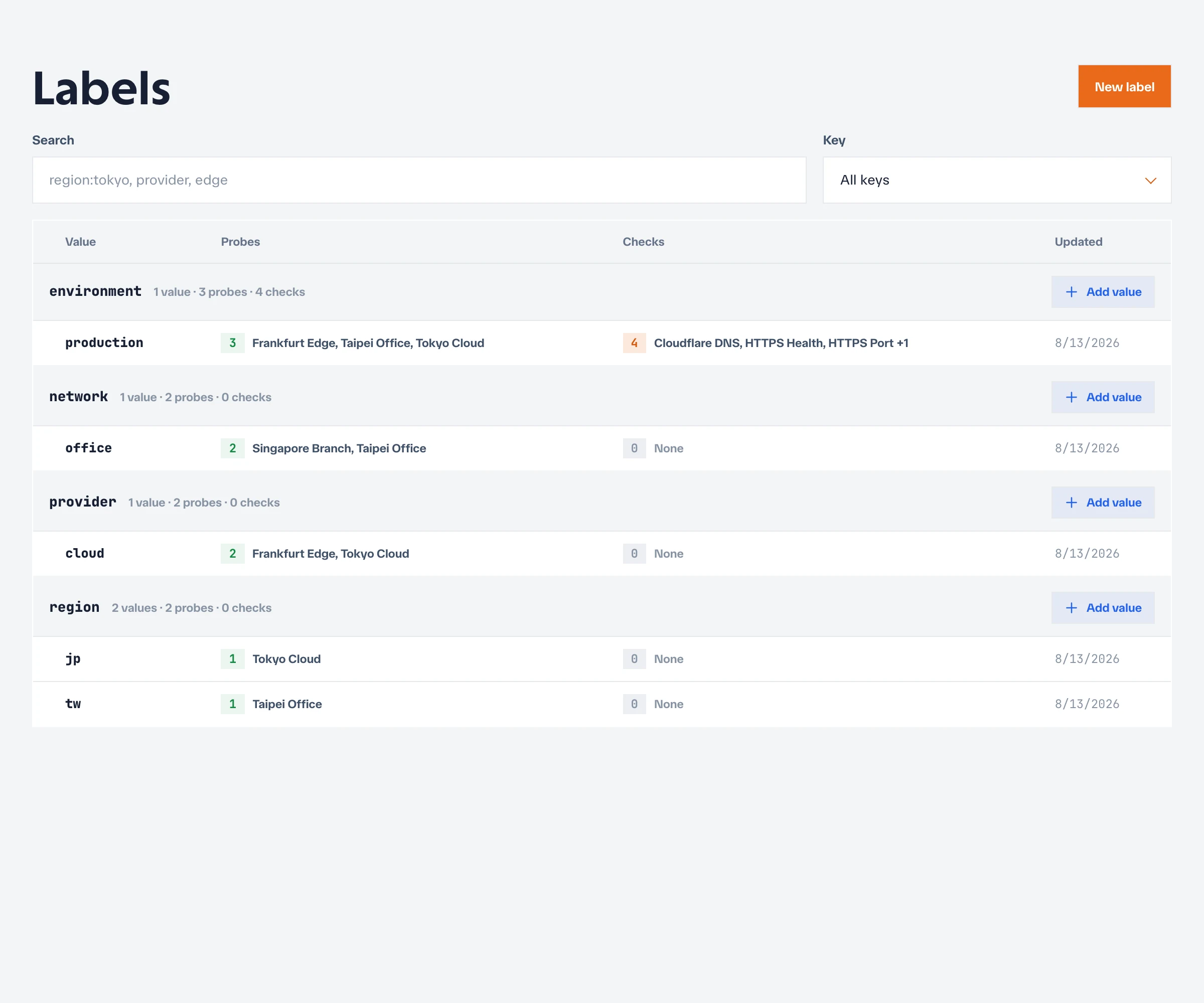
A label is a key-value pair attached to a probe. Prefer a small, consistent vocabulary:
| Purpose | Example |
|---|---|
| Geographic region | region=tw |
| Network boundary | network=office |
| Infrastructure provider | provider=aws |
| Environment | environment=production |
Use stable facts rather than temporary status. For example, region=tw is a useful label; healthy=true is not.
Select probes for a check
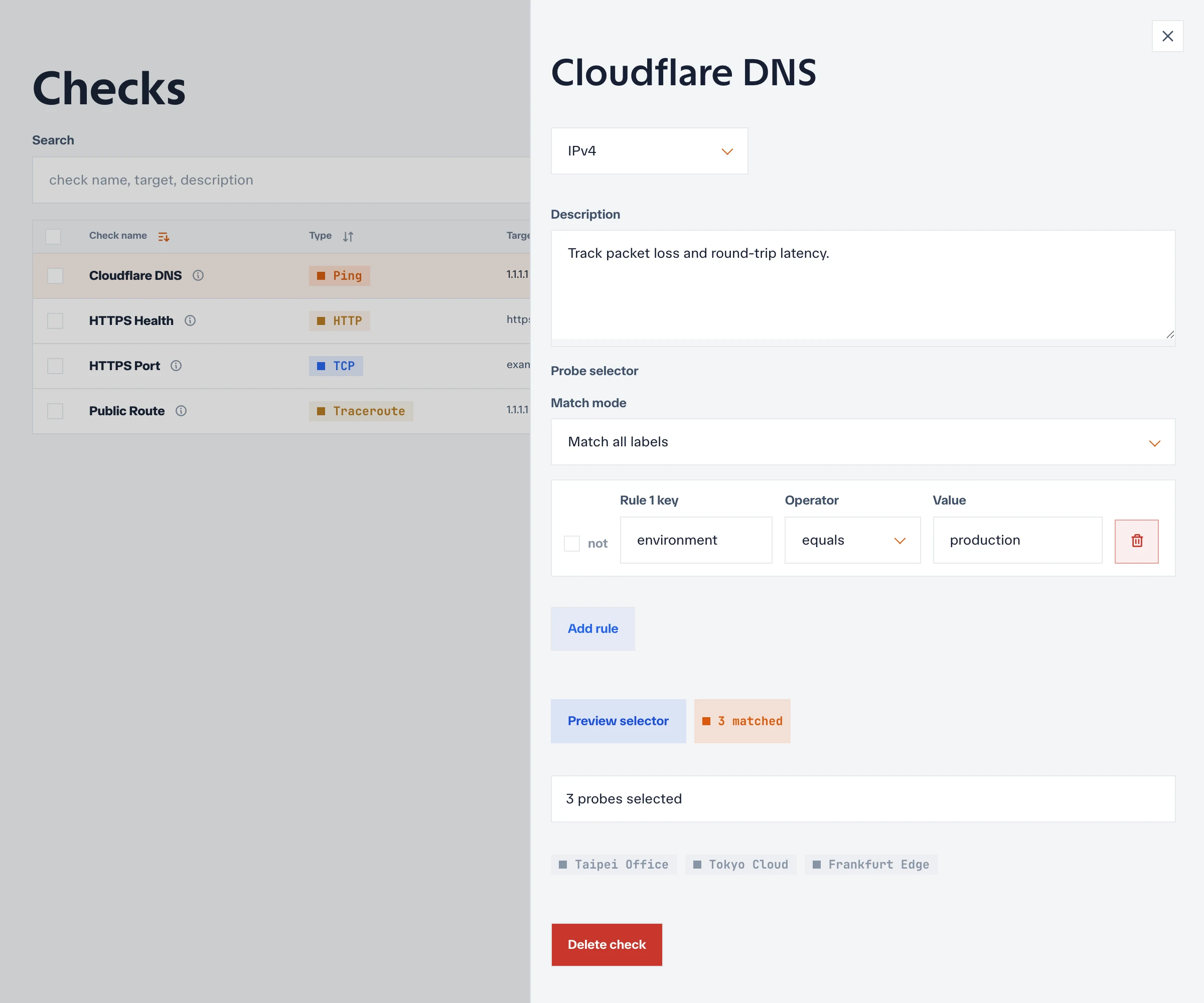
When creating or editing a check, its selector defines which enabled probes should execute it. A selector can match one or more label conditions.
An empty selector matches all enabled probes in the project. This is convenient for small projects, but review it carefully before adding many probes because the check will fan out to each one.
Assignment lifecycle
The controller derives effective assignments from the current configuration:
check selector + enabled probe labels -> effective assignmentProbes poll the controller for assignments. Changes are not pushed directly to agents, so allow at least one assignment refresh interval before judging the result.
Assignments are recalculated when you:
- Create, edit, enable, disable, or delete a check.
- Add, change, or remove probe labels.
- Enable or disable a probe.
Plan a label change
Before renaming or removing a widely used label:
- Identify the checks whose selectors use it.
- Add the replacement label to probes.
- Update the affected selectors.
- Confirm that results arrive from the expected probes.
- Remove the old label.
This sequence avoids an assignment gap.
Troubleshoot missing assignments
If a check does not run from the expected probe, confirm that:
- The check is enabled.
- The probe is enabled and online.
- Every selector condition matches the probe’s current labels.
- The probe has refreshed assignments since the last change.
- The target is reachable from that probe’s network.
Public status pages can expose probe names and locations associated with selected checks. Use operationally useful labels, but do not put secrets or sensitive internal topology in them.
After confirming the selector preview, create a check and verify that every expected probe submits results.