
'%3e%3cpath%20d='m19.6%2066.5%2019.7-11%20.3-1-.3-.5h-1l-3.3-.2-11.2-.3L14%2053l-9.5-.5-2.4-.5L0%2049l.2-1.5%202-1.3%202.9.2%206.3.5%209.5.6%206.9.4L38%2049.1h1.6l.2-.7-.5-.4-.4-.4L29%2041l-10.6-7-5.6-4.1-3-2-1.5-2-.6-4.2%202.7-3%203.7.3.9.2%203.7%202.9%208%206.1L37%2036l1.5%201.2.6-.4.1-.3-.7-1.1L33%2025l-6-10.4-2.7-4.3-.7-2.6c-.3-1-.4-2-.4-3l3-4.2L28%200l4.2.6L33.8%202l2.6%206%204.1%209.3L47%2029.9l2%203.8%201%203.4.3%201h.7v-.5l.5-7.2%201-8.7%201-11.2.3-3.2%201.6-3.8%203-2L61%202.6l2%202.9-.3%201.8-1.1%207.7L59%2027.1l-1.5%208.2h.9l1-1.1%204.1-5.4%206.9-8.6%203-3.5L77%2013l2.3-1.8h4.3l3.1%204.7-1.4%204.9-4.4%205.6-3.7%204.7-5.3%207.1-3.2%205.7.3.4h.7l12-2.6%206.4-1.1%207.6-1.3%203.5%201.6.4%201.6-1.4%203.4-8.2%202-9.6%202-14.3%203.3-.2.1.2.3%206.4.6%202.8.2h6.8l12.6%201%203.3%202%201.9%202.7-.3%202-5.1%202.6-6.8-1.6-16-3.8-5.4-1.3h-.8v.4l4.6%204.5%208.3%207.5L89%2080.1l.5%202.4-1.3%202-1.4-.2-9.2-7-3.6-3-8-6.8h-.5v.7l1.8%202.7%209.8%2014.7.5%204.5-.7%201.4-2.6%201-2.7-.6-5.8-8-6-9-4.7-8.2-.5.4-2.9%2030.2-1.3%201.5-3%201.2-2.5-2-1.4-3%201.4-6.2%201.6-8%201.3-6.4%201.2-7.9.7-2.6v-.2H49L43%2072l-9%2012.3-7.2%207.6-1.7.7-3-1.5.3-2.8L24%2086l10-12.8%206-7.9%204-4.6-.1-.5h-.3L17.2%2077.4l-4.7.6-2-2%20.2-3%201-1%208-5.5Z'/%3e%3c/svg%3e)
System administrators manage instance-wide access and service settings. This role is separate from project roles and does not automatically grant access to every project’s monitoring data.
Bootstrap administration
The first account created on a new instance becomes a system administrator. Create this account deliberately, protect it with a strong sign-in method, and add a second trusted administrator before the instance becomes operational.
Netstamp prevents removal of the last system administrator.
Access policy
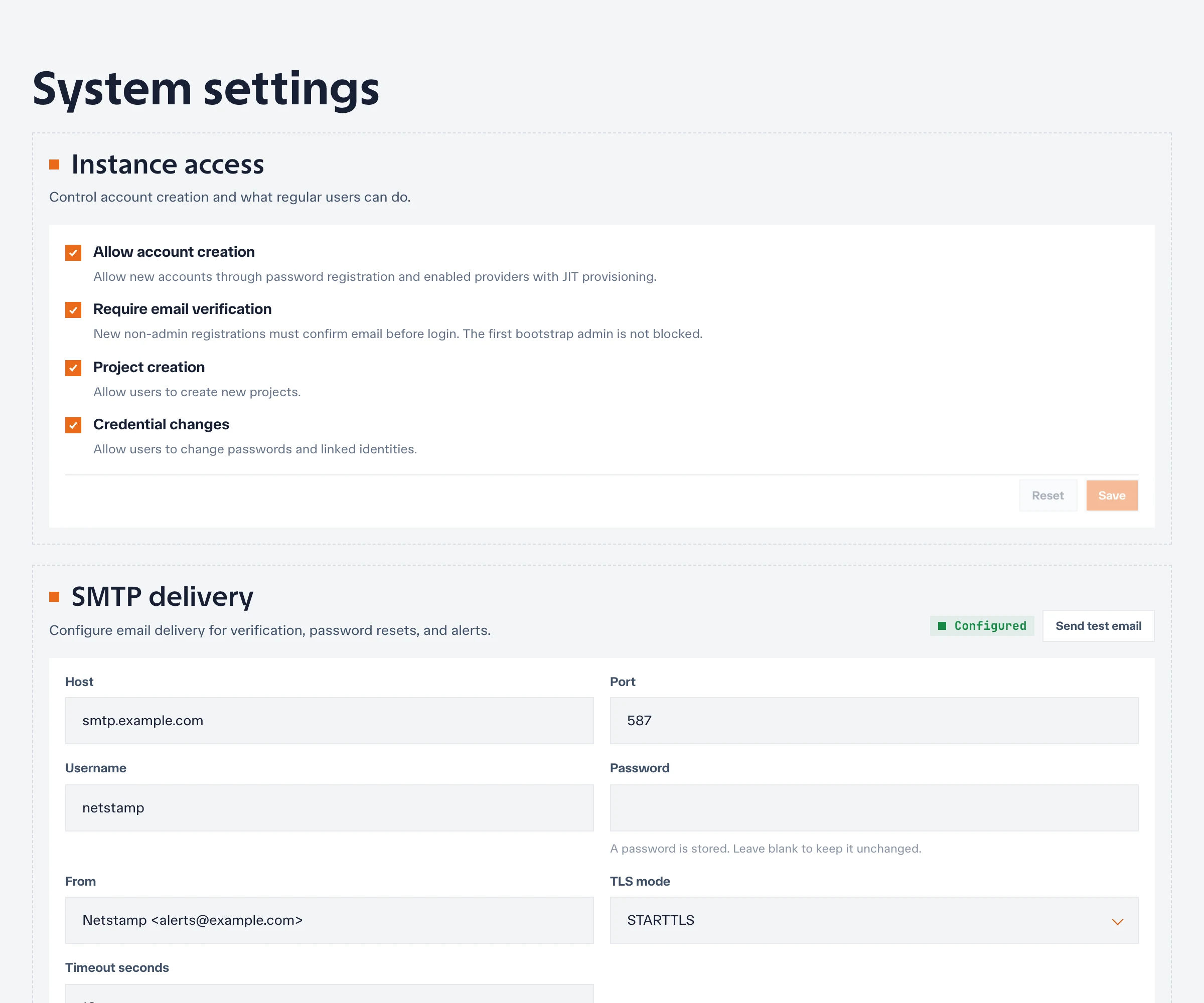
Use the administration settings to control who can create an account and how external identities are provisioned. Depending on the deployment, registration can be open, restricted, or driven by just-in-time provisioning from an approved identity provider.
For production, prefer an explicit policy and verify it with both an approved and an unapproved identity.
Authentication providers
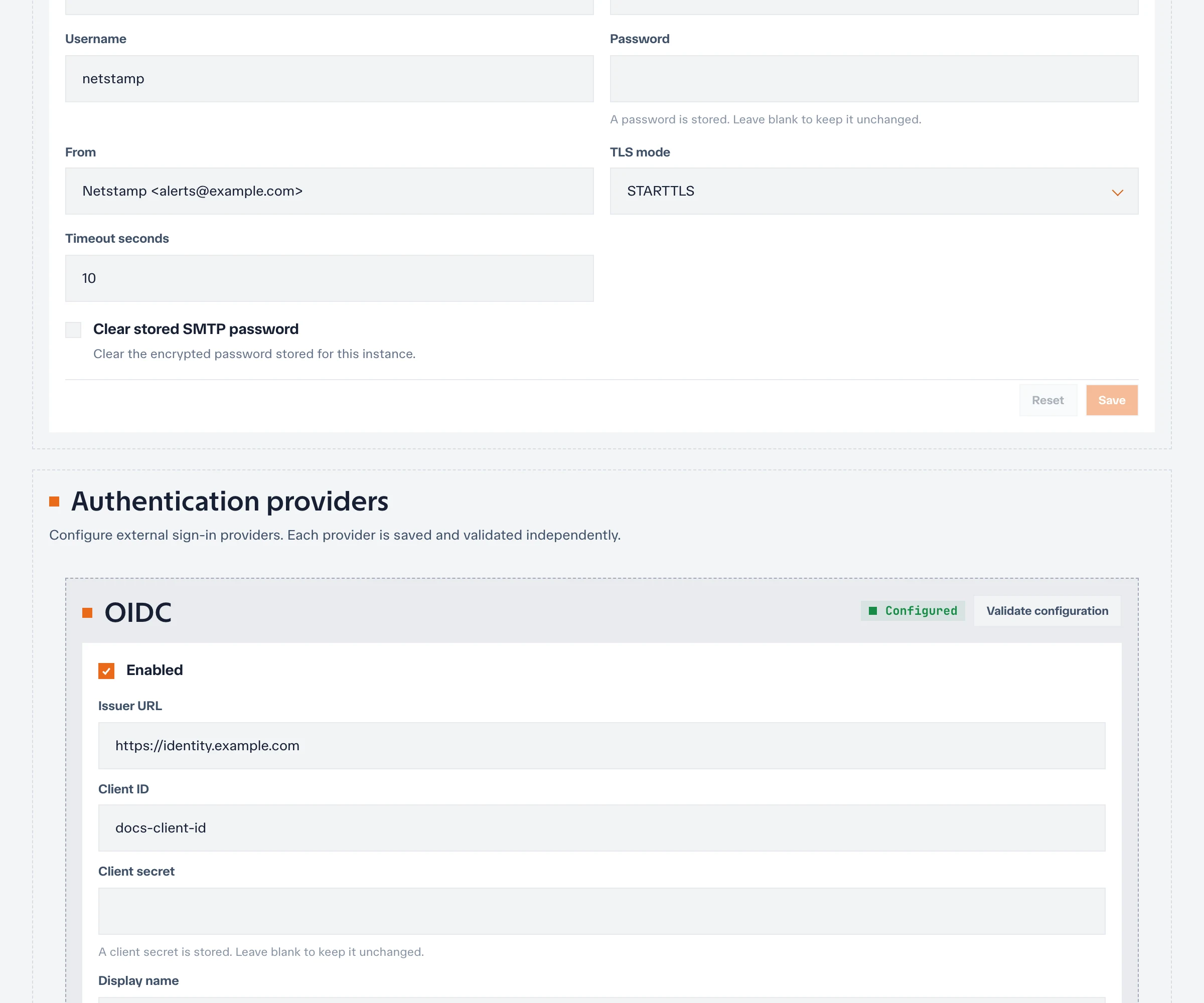
Administrators configure generic OIDC, Google, and GitHub sign-in at the instance level. Provider credentials, callback URLs, claim mapping, and allowlists affect every user who selects that method.
Keep at least one tested recovery sign-in method while changing provider settings. See Authentication and email for deployment configuration and callback URLs.
SMTP and email behavior
SMTP configuration supports email verification, password recovery, and email notification destinations. Send a test message after any host, credential, sender, or TLS change.
If SMTP is unavailable, understand which account recovery and notification paths will also be unavailable before enforcing email-dependent policies.
Manage users and administrators
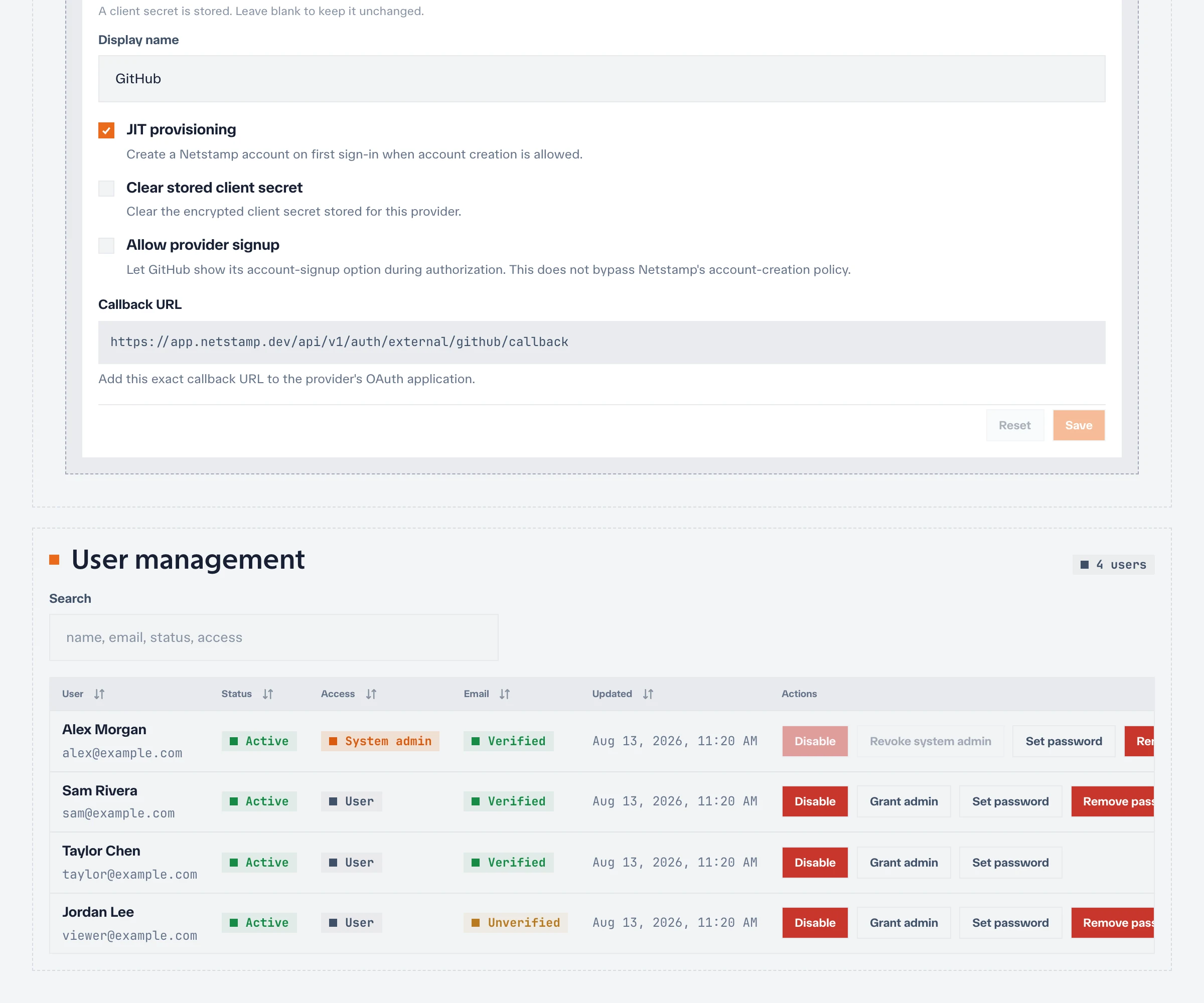
From the administration area, authorized administrators can review users, change account state, and grant or remove system-administrator access.
Before disabling an account:
- Check whether it is the last owner of any project.
- Transfer automation or API tokens tied to it.
- Review whether it is a required system administrator.
- Preserve any audit or incident context required by policy.
Project membership must be managed inside each project.
Operational practice
Review administrators, account creation policy, external providers, SMTP delivery, and inactive accounts on a regular schedule. Record changes to instance-wide security settings and test the recovery path before it is needed.