
'%3e%3cpath%20d='m19.6%2066.5%2019.7-11%20.3-1-.3-.5h-1l-3.3-.2-11.2-.3L14%2053l-9.5-.5-2.4-.5L0%2049l.2-1.5%202-1.3%202.9.2%206.3.5%209.5.6%206.9.4L38%2049.1h1.6l.2-.7-.5-.4-.4-.4L29%2041l-10.6-7-5.6-4.1-3-2-1.5-2-.6-4.2%202.7-3%203.7.3.9.2%203.7%202.9%208%206.1L37%2036l1.5%201.2.6-.4.1-.3-.7-1.1L33%2025l-6-10.4-2.7-4.3-.7-2.6c-.3-1-.4-2-.4-3l3-4.2L28%200l4.2.6L33.8%202l2.6%206%204.1%209.3L47%2029.9l2%203.8%201%203.4.3%201h.7v-.5l.5-7.2%201-8.7%201-11.2.3-3.2%201.6-3.8%203-2L61%202.6l2%202.9-.3%201.8-1.1%207.7L59%2027.1l-1.5%208.2h.9l1-1.1%204.1-5.4%206.9-8.6%203-3.5L77%2013l2.3-1.8h4.3l3.1%204.7-1.4%204.9-4.4%205.6-3.7%204.7-5.3%207.1-3.2%205.7.3.4h.7l12-2.6%206.4-1.1%207.6-1.3%203.5%201.6.4%201.6-1.4%203.4-8.2%202-9.6%202-14.3%203.3-.2.1.2.3%206.4.6%202.8.2h6.8l12.6%201%203.3%202%201.9%202.7-.3%202-5.1%202.6-6.8-1.6-16-3.8-5.4-1.3h-.8v.4l4.6%204.5%208.3%207.5L89%2080.1l.5%202.4-1.3%202-1.4-.2-9.2-7-3.6-3-8-6.8h-.5v.7l1.8%202.7%209.8%2014.7.5%204.5-.7%201.4-2.6%201-2.7-.6-5.8-8-6-9-4.7-8.2-.5.4-2.9%2030.2-1.3%201.5-3%201.2-2.5-2-1.4-3%201.4-6.2%201.6-8%201.3-6.4%201.2-7.9.7-2.6v-.2H49L43%2072l-9%2012.3-7.2%207.6-1.7.7-3-1.5.3-2.8L24%2086l10-12.8%206-7.9%204-4.6-.1-.5h-.3L17.2%2077.4l-4.7.6-2-2%20.2-3%201-1%208-5.5Z'/%3e%3c/svg%3e)
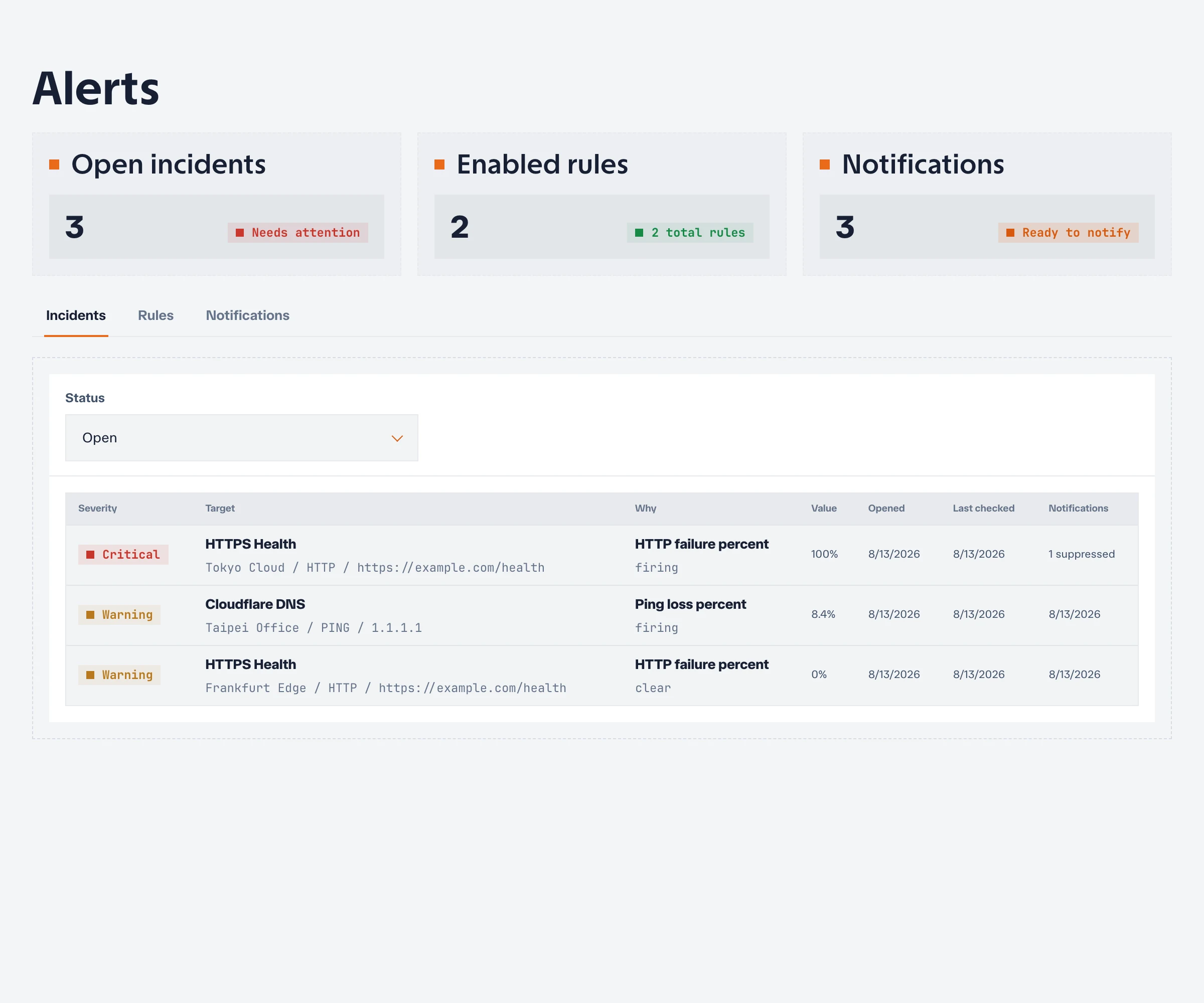
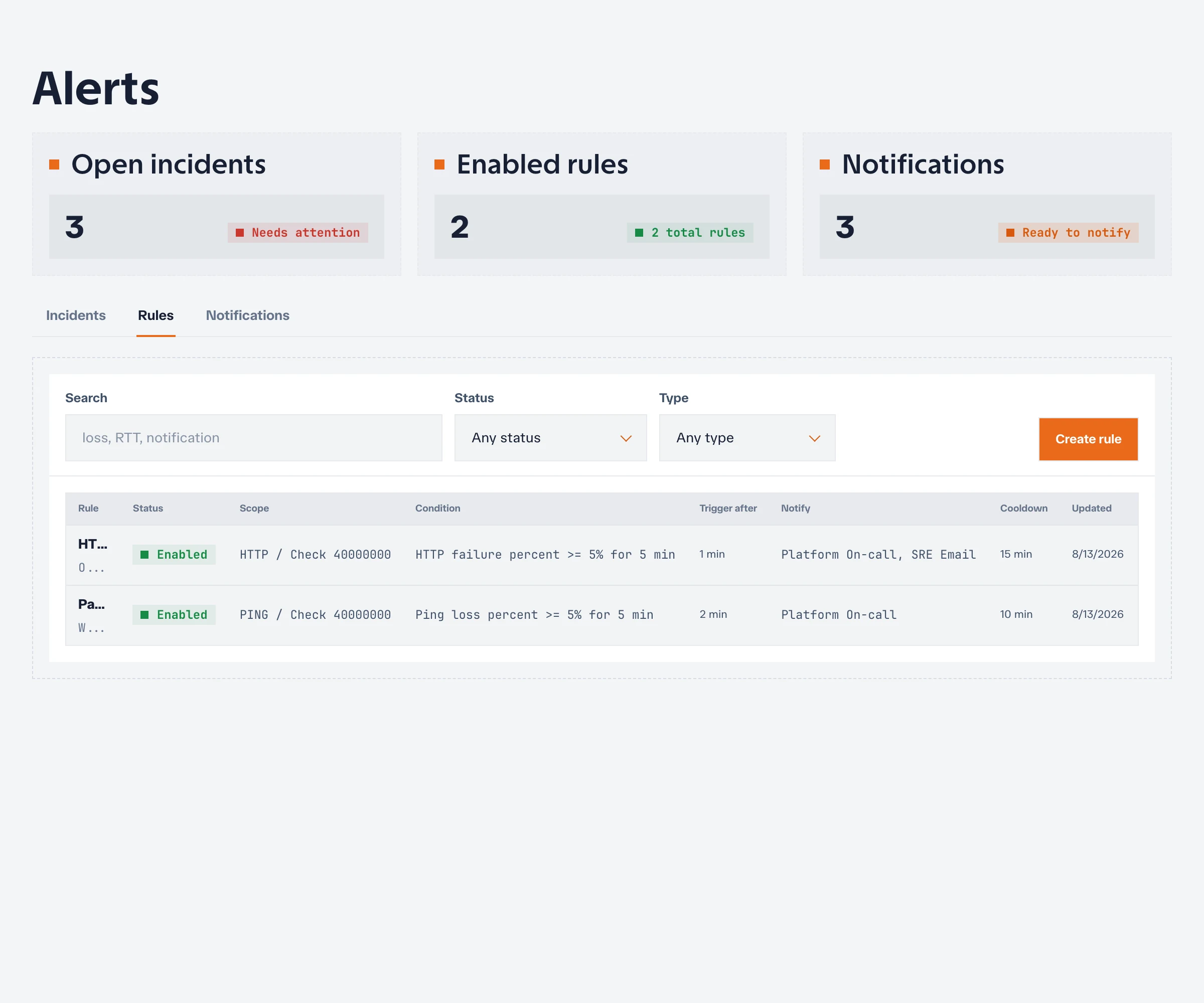
Alert rules turn measurements into actionable incidents. A rule watches one check metric, evaluates it over a window, and opens an incident only after the condition remains true for the configured trigger duration.
Supported metrics
Available metrics depend on the check type:
| Check type | Common alert signals |
|---|---|
| Ping | Reachability, packet loss, and latency |
| TCP | Connection success and latency |
| HTTP | Availability, status validation, latency, body validation, and TLS certificate lifetime |
Traceroute results are intended for investigation and do not currently provide alert-rule metrics.
Create an alert rule
- Open Alerts in the project.
- Choose Create rule.
- Select a check and metric.
- Choose an operator and threshold.
- Set the evaluation window, minimum sample count, and trigger duration.
- Choose a severity and notification destinations.
- Save and enable the rule.
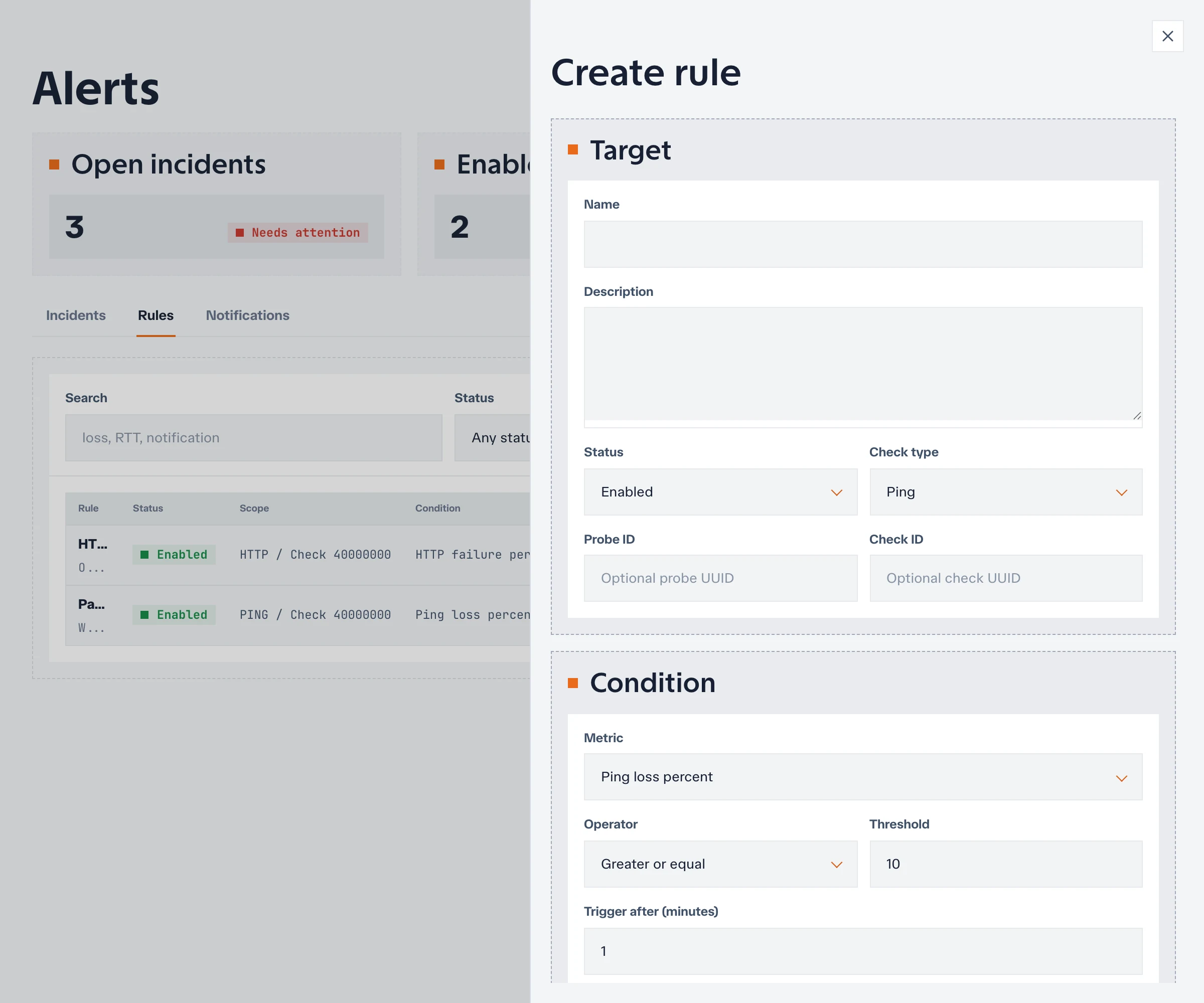
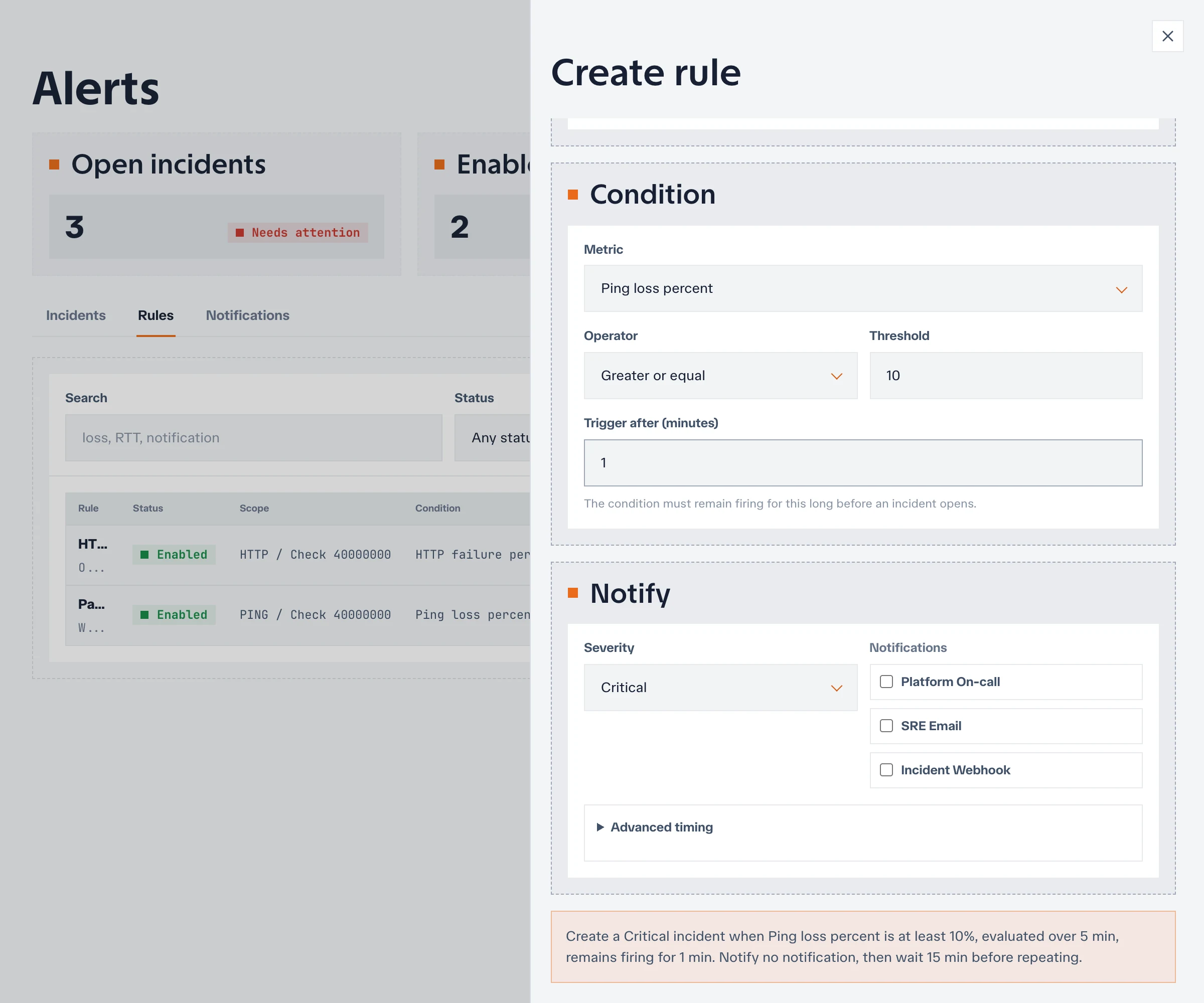
The evaluation window determines which recent samples are considered. The minimum sample count prevents decisions based on too little data. The trigger duration reduces noise by requiring the condition to stay true before Netstamp opens an incident.
Start with conservative thresholds based on observed baseline data, then tune them after reviewing real incidents.
Firing, clearing, and missing data
When an enabled rule has enough samples and its condition remains true for the trigger duration, it enters the firing state and creates or updates an incident.
When the condition no longer holds, Netstamp clears the firing state and resolves the incident. If there are not enough recent samples, the rule cannot make a reliable decision. Investigate assignment or probe connectivity instead of treating missing data as a healthy result.
Investigate an incident
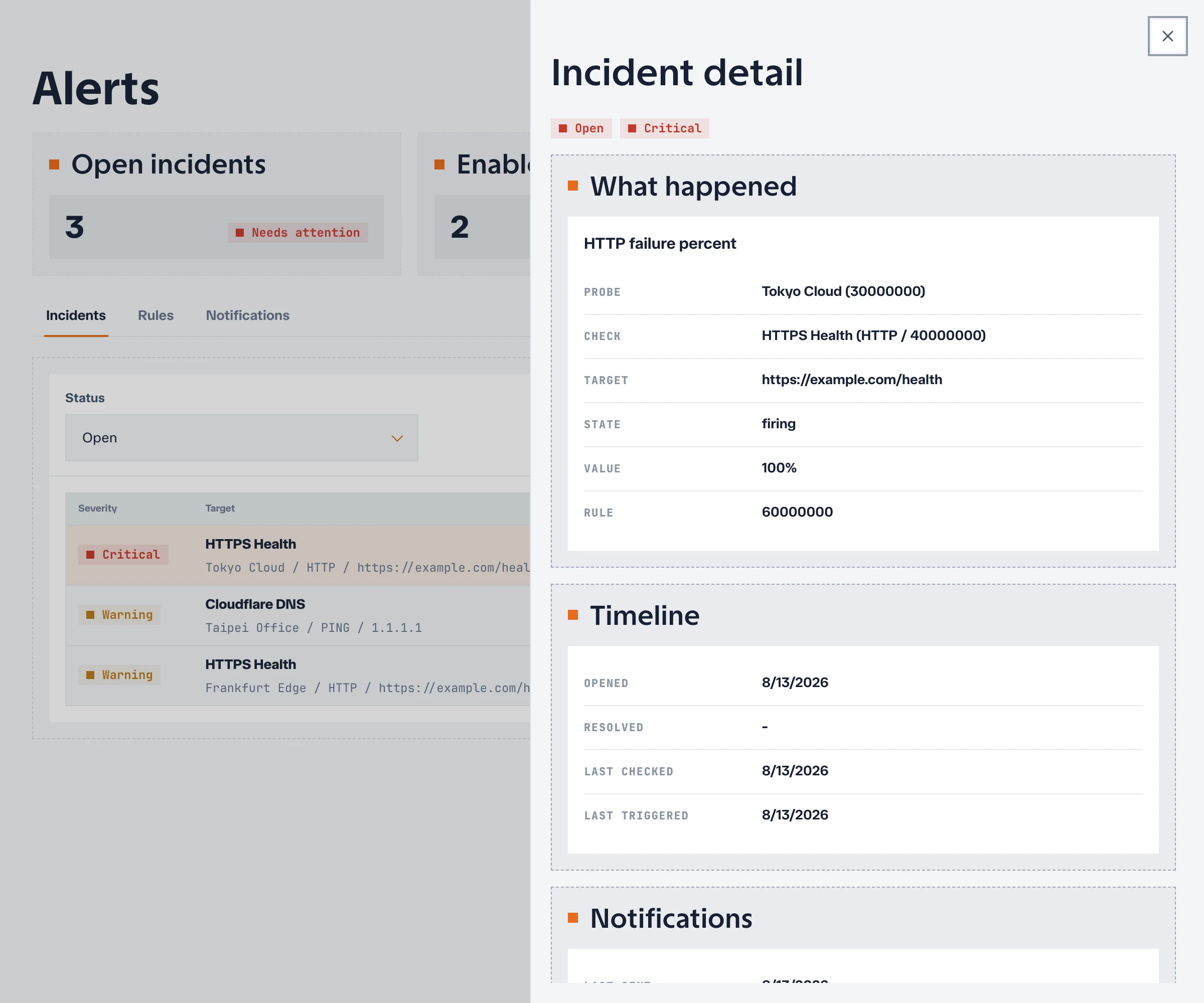
When an incident opens:
- Confirm the affected project, check, metric, and probes.
- Inspect the corresponding Ping, TCP, or HTTP evidence.
- Compare the start time with deployments or network changes.
- Determine whether the problem is target-wide or isolated to specific probes.
- Verify recovery after the rule clears.
The incident record remains available after resolution so it can support post-incident review.
Tune safely
Avoid changing several threshold settings during an active incident unless the rule itself is clearly wrong. After recovery, compare the incident against historical data, adjust one dimension at a time, and verify that the new rule still detects the failure you care about.
Use Notifications to configure and test the destinations attached to alert rules.